App Download

Bitvisa Download the app –
Android & iOSThe best gaming on is now right at your fingertips

Enjoy the full Bitvisa gaming experience from anywhere, at any time. Download our app and jump into your favorite games in no time.

bitvisa

Based on your device Download

The Bitvisa app is available on both Android and iOS. Select your device below and get set up in no time.

Android App
Version 3.2.1  |  Size: 48 MB  |  Android 7.0+
  • Install APK directly
  • Fast loading and smooth performance
  • Push Notifications Supported
  • Play select games in offline mode
  • Auto-update feature
Android APK Download
iOS App
Version 3.2.0  |  Size: 52 MB  |  iOS 13.0+
  • iPhone and iPad fully supported
  • HD Gaming on Retina Display
  • Face ID & Touch ID Login
  • Battery-saving optimization
  • Secure encrypted session
iOS App Download
Play on browser too

If you'd rather skip the app, you can access Bitvisa directly through your mobile or desktop browser. Chrome, Firefox, Safari — all modern browsers are fully supported. That said, the app delivers the best overall experience.

The browser version gives you full access to all games, Live Casino, deposits, and withdrawals — no compromises.

bitvisa

Bitvisa Mobile App – An Exceptional Gaming Experience on Android & iOS

What you get in the app Even more benefits

Bitvisa's dedicated mobile app is significantly faster and more stable than a browser. Once you log in, you won't need to re-enter your password each time. Push notifications keep you instantly updated on the latest offers and bonuses.

The app is lightweight — just 48–52 MB — so it runs smoothly even on older or low-RAM devices. We use a custom compression technology to keep live games running without a hitch, even on slower connections.

  • Biometric login (Face ID / Fingerprint)
  • Real-time scores and match updates
  • One-tap Deposit & Withdrawal
  • Dark mode by default — easy on the eyes

How to Ready to install?

Installing the Bitvisa app is quick and easy. Just follow the steps below and you'll be gaming within minutes.

Android Installation

01
Allow Unknown Sources

Go to Settings → Security → Unknown Sources and enable the option. This is required to install APK files.

02
Download APK

Tap the "Download Android APK" button above. The file will be saved to your phone's Downloads folder.

03
Open File Manager

Open the File Manager or Downloads app on your phone. Locate the bitvisa.apk file.

04
Install & Open

Tap the APK file → Install → Open. Then log in or register and start playing.

iOS Installation

01
Open Safari browser

Use Safari on your iPhone or iPad. iOS installation does not work from Chrome or any other browser.

02
Go to download link

Tap the "Download iOS App" button above. You'll be taken to the download page.

03
Install profile

Go to Settings → General → VPN & Device Management and trust the Bitvisa profile.

04
Launch the app

You will see the Bitvisa icon on your home screen. Tap it, log in, and enjoy gaming.

bitvisa

Bitvisa App Installation – Simple, Fast & Secure

What's inside the Bitvisa app Available

Beyond games, the Bitvisa app simplifies your entire gaming life — from payments to live support, all in one place.

500+ games in one app

Slots, Live Casino, Fish Game, Sports Betting — every type of game in a single app. No need to install separate apps.

Lightning-fast loading

Our CDN technology ensures games load in just 1–2 seconds, keeping gameplay smooth even on slower networks.

Easy payment management

Deposit directly from bKash, Nagad, Rocket, and all major mobile banking apps. Withdrawals processed in just 15 minutes.

Smart notifications

New bonus offers, match start reminders, withdrawal confirmations — stay on top of every important update the moment it happens.

Two-factor security

Every login and transaction is protected with 256-bit SSL encryption. Biometric lock and OTP verification are enabled by default.

In-app support

Live chat is built right into the app. Get help from the support team without ever leaving your game.

System Requirements

The Bitvisa app doesn't require a high-end phone. Check the minimum requirements below.

Features Android iOS
Minimum OS version Android 7.0 (Nougat) IOS 13.0
RAM 2 GB (3 GB recommended) 2 GB (iPhone 8 or later)
Storage Minimum 100 MB free storage Minimum 120 MB free storage
Internet Speed Minimum 1 Mbps (4G/WiFi recommended) Minimum 1 Mbps (4G/WiFi recommended)
Processor Quad-core 1.4 GHz or higher Apple A9 chip or later
Screen resolution 720p or above Retina Display Supported
Latest update January 2026 January 2026

On any device The same quality gaming

Bitvisa is built with multi-device sync in mind. Pick up exactly where you left off on your phone — whether you switch to a tablet or laptop, your progress carries over seamlessly.

Your balance, betting history, bonuses, and settings stay in sync across all devices. One account, every device — nothing extra to keep track of.

  • One account across phone, tablet, and desktop
  • Real-time balance sync
  • Same bonuses and offers across all devices
  • Log in on any device with a single tap
bitvisa

Bitvisa Multi-Device Sync – One Seamless Experience Across All Devices

About the Bitvisa App All

Online gaming in Bangladesh is no longer just a desktop activity. People want to do everything on their smartphones — sitting in a rickshaw, on an office break, or just before bed — catching a quick game whenever they get the chance. Bitvisa built its mobile app with exactly this in mind.

Many platforms claim to be "mobile-friendly" when all they've really done is shrink their website down. Bitvisa is a different story entirely. The app was designed from scratch for mobile — every button, every menu, and every animation was built with a mobile screen in mind.

If you've never used an online casino or betting app before, there's nothing to worry about. The Bitvisa app interface is straightforward enough that first-time users can find their way around with ease. A full Bengali interface is available, so language is never a barrier.

When you first download the app, a brief onboarding tour highlights the key features. New users are also offered a special welcome bonus — up to 100% on your first deposit. This bonus is available exclusively when you register through the app.

For slots, the Bitvisa app offers over 200 slot machines, ranging from classic 3-reel games to modern video slots. Every game includes an auto-spin feature, so you can keep playing without tapping the screen.

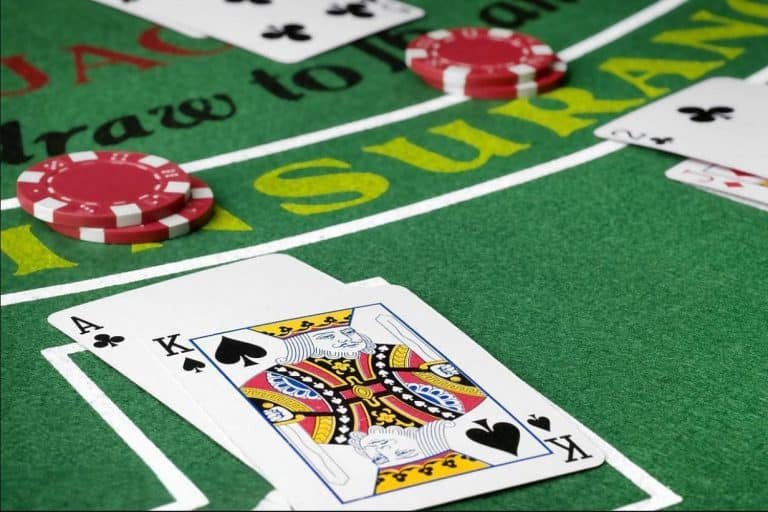
The Live Casino section is the most popular part of the Bitvisa app. Here you can play blackjack, baccarat, roulette, and teenpatti with real dealers via live video. Video quality stays HD even on a mobile screen, and you can chat with the dealer too.

The cricket and football betting section works brilliantly in the app too. In-play betting on Bangladesh cricket matches through Bitvisa is a favourite for many users. Odds refresh every few seconds during a live match, and the live score is right there on the same screen — no need to switch apps.

When it comes to payments, the Bitvisa app is built with Bangladeshi users in mind. bKash, Nagad, Rocket, Upay — all major mobile financial services are supported. When making a deposit, the app redirects you directly to bKash for payment, so there is no need to copy a number and switch to another app.

Withdrawals are just as straightforward. Open the app, go to the withdraw option, enter the amount, and confirm — that's it. In most cases, the funds reach your mobile wallet within 15 minutes. Withdrawals are available 24/7, with no banking-hours restrictions like a traditional bank.

The app is updated regularly, with each release adding new games, fixing bugs, and improving performance. Android users can check for updates from within the app, while iOS users are notified automatically when a new version is available.

All in all, the Bitvisa app has raised the bar for gaming in Bangladesh. For anyone serious about gaming, it is an essential tool. Download it today and experience the difference for yourself.

Frequently asked Questions

Yes, the Bitvisa app is completely free to download and install. There are no charges for either the Android or iOS version. Simply register and start playing.

Bitvisa's official APK is completely safe and malware-free. Only download it from this page — avoid APK files from third-party sites. Every update goes through a full security audit before release.

The Bitvisa app runs on Android 7.0 (Nougat) and above. Your phone just needs at least 2 GB of RAM and 100 MB of free storage. Note that some high-graphics games may run a bit slower on older devices.

If you already have a Bitvisa account, just log in with your existing username and password. New users can complete registration right inside the app in as little as 2 minutes.

Yes, it can be downloaded directly from Safari on iOS. You will need to trust the profile via Settings → General → VPN & Device Management. This is a straightforward process and completely safe.

No, updating the app will not erase your account, balance, betting history, or any other data. Everything is stored on our servers. Just log in after the update and everything will be exactly as you left it.

Download Bitvisa and Win bonuses

Download the Bitvisa app today and claim a 100% welcome bonus on your first deposit. Join millions of players across Bangladesh on the platform they trust.

বাংলা